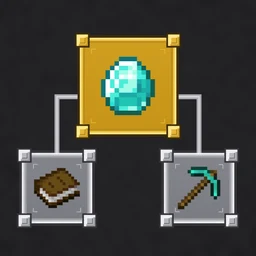
Improved Advancements Screen makes Minecraft's advancement journey easier to follow. It adds visible progress, clearer remaining requirements, stable layouts, and remembered positions, with an optional classic achievements-style map for players who prefer a different view of their goals.
- Runs on
- Your client
- Target version
- Fabric 26.3
- Views
- Modern & classic
- Release
- Under review
Know what you have left to do.
Advancement tooltips can show completed and remaining requirements, while counts and percentages help you see progress across the selected tab. That gives you more context than a completed or incomplete icon alone.
These details depend on the information Minecraft receives from the server. The mod cannot reveal requirement information that the server has not sent, and Minecraft still decides when an advancement is awarded.
Two ways to follow the same journey.
Keep the modern advancement presentation, or enable the optional Old screen inspired by Minecraft's pre-1.12 achievement map.
| Modern view | Optional Old screen |
|---|---|
| Stable advancement layouts. | One draggable achievement-style map. |
| Remembered tab and map positions. | An underground background with prerequisite arrows. |
| Progress counts and percentages. | Gradual discovery as you explore the map. |
| Advancement requirement details where available. | Optional progress details in the Old screen tooltips. |
Find a goal and return to it.
Search by advancement name, description, or item in either view. Open Search or press Ctrl+F, choose a result, and locate it on the map.
Remembered tabs and map positions help keep your place between visits. Together with stable layouts, this lets you return to the part of the advancement tree you were working through rather than starting from the same view each time.
Configuration and the classic screen.
The current project targets a Fabric 26.3 client with Fabric API. Mod Menu and Cloth Config provide access to its configuration.
Use the matching client setup.
The documented build targets Minecraft 26.3 with Fabric and Fabric API.
Open the mod configuration.
With Mod Menu and Cloth Config installed, open Mods > Improved Advancements Screen > Configure.
Choose the screen.
Use the Screen setting to enable the optional Old screen.
A new project, still in review.
The Modrinth submission is under review, so there is no public Modrinth download yet. Its README and source repository document the current features and development build.
The project is based on Better Advancements by way2muchnoise, with work by Periklis20M and JohnFG. The upstream non-commercial license is retained, and original Minecraft artwork belongs to Mojang.
Read the original documentation and check individual files for release-specific requirements.
Project README & source